Departure Timer: a Chrome Extension for When to Leave
November 2, 2026 · Kamran Azari · Chrome extension · NS API · Open source
Train apps show you when the train leaves. But what I really want to know is when I need to leave home. This Chrome extension does that for me. It shows the minutes left on the toolbar icon, so I don't need to open anything.
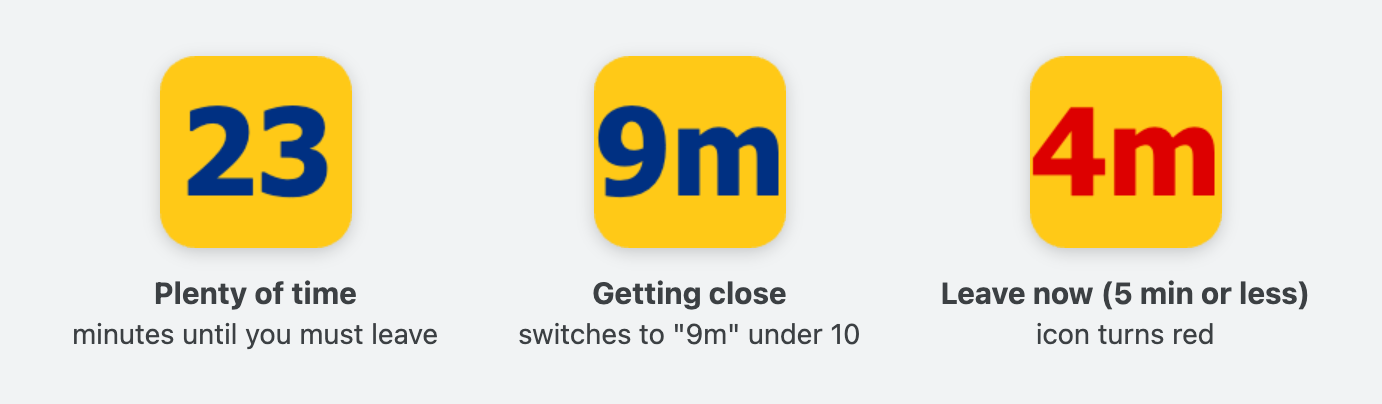
The icon shows the minutes until you must leave. It turns red at 5 minutes or less.
Before the ESP32 one
This extension is older than the ESP32 departure countdown. I made it first, for myself. After some updates I decided to make it public and open source, so now everyone can use it.
How it works
You make a profile. A profile is the station you leave from and the minutes you need to get there. Walking, cycling, driving or public transit. A destination is optional.
The extension asks the NS API for the next trains and takes the departure time minus your travel time. That is the time you must leave.
- A background worker checks the NS API every minute and draws the number on the toolbar icon.
- The popup counts down every second by itself, so it doesn't call the API all the time.
- If the train is late, your leave time moves too. (The ESP32 one uses the planned time, this one uses the real time.)
- Without a destination you see all departures from the station. With one, it uses the NS trips API, so you also see transfers and the arrival time.
- Trains you can't catch anymore are hidden.
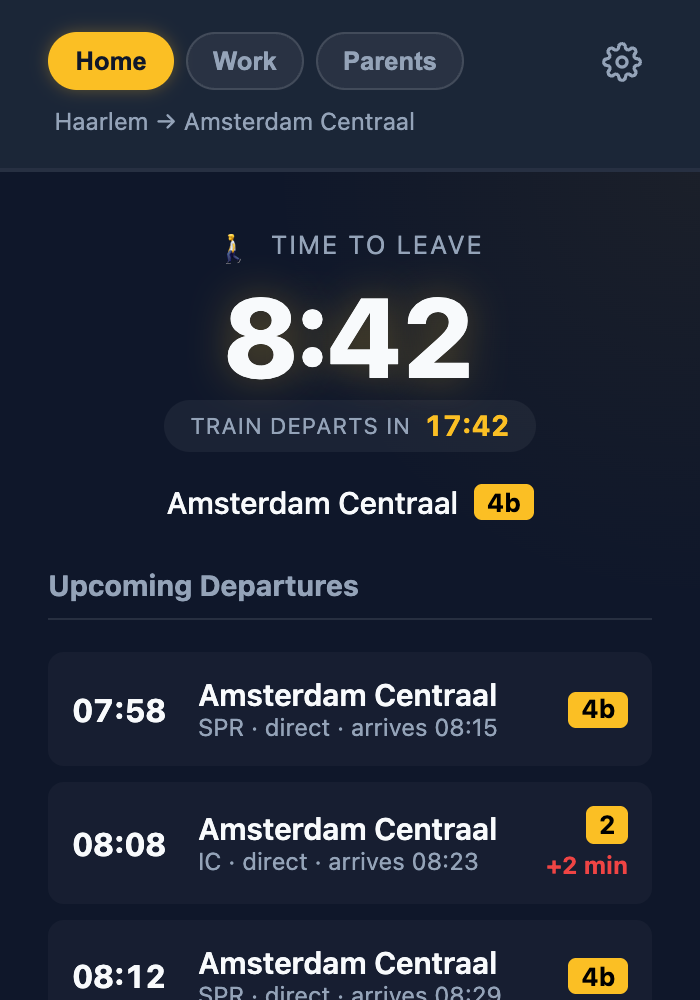
The popup has two countdowns: time to leave and time until the train departs. Under that are the next five departures with platform and delay.
Features
- Minutes left on the toolbar icon, red at 5 minutes or less
- Popup with the next 5 departures, platform and delay
- The leave countdown turns red when less than 2 minutes are left
- One tab per profile, for example Home, Work or Gym
- Notification when it's time to leave (once per 10 minutes at most)
- Transfers and arrival time when you set a destination
- Settings follow you to other devices with Chrome sync
- No analytics, no tracking
Options
| Option | What it does |
|---|---|
| Data source | NS API (direct) with your own key, or your own personal hub |
| Profiles | Name, station, destination, how you travel and minutes to the station. Station names autocomplete, and there is a button to check the travel time on Google Maps |
| Intercity only | Hide the Sprinters |
| Notifications | Turn the "time to leave" notification on or off |
| Use my location | Opens the profile nearest to you. The location is never saved |
| Sync API key | Untick it to keep the key on this device only |
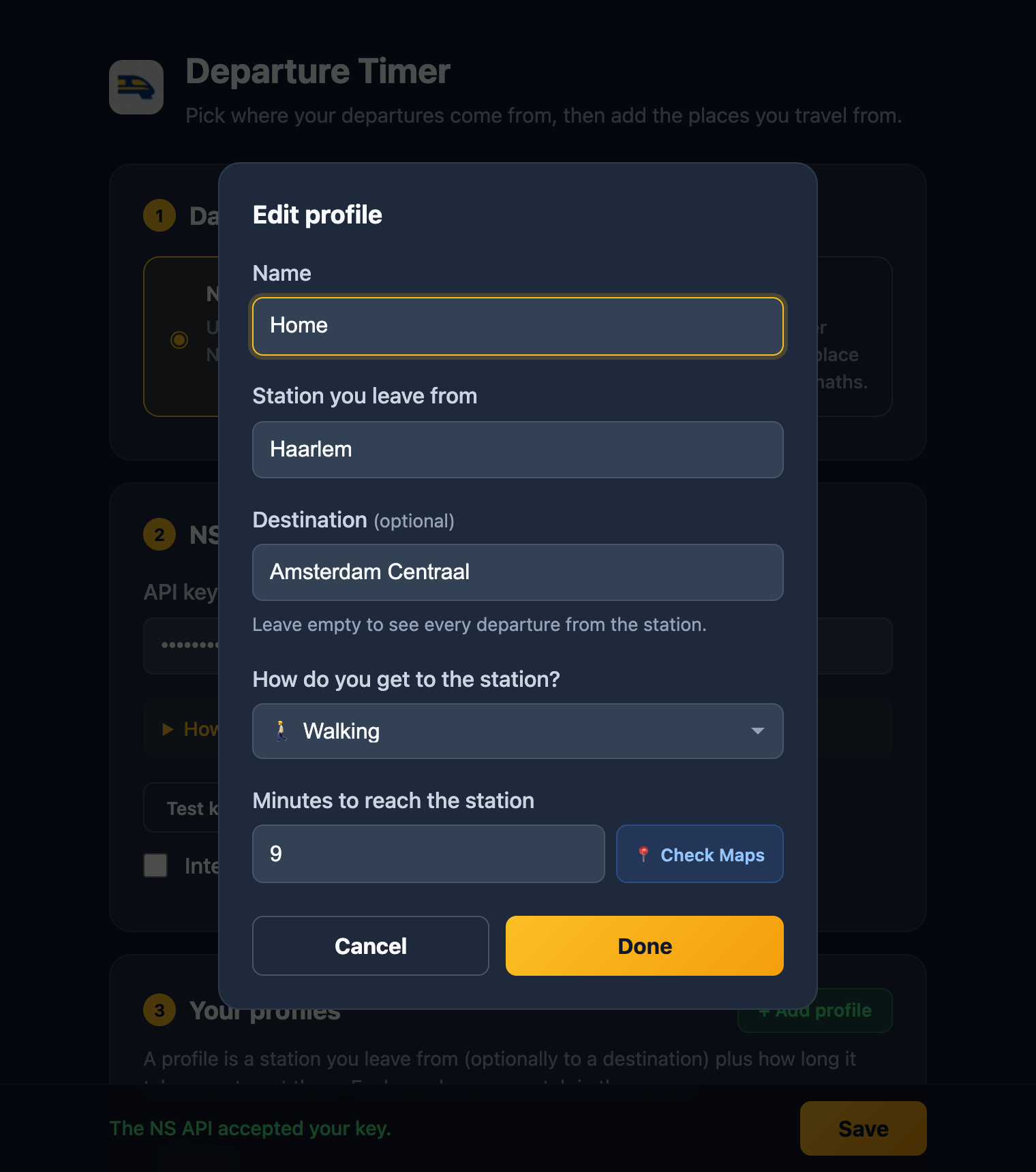
Editing a profile.
Direct NS or personal hub
Direct NS is the easy way. Get a free key on the NS API portal (subscribe to the Reisinformatie API), paste it in the settings and press Test key. The key stays in your browser.
Personal hub is for when you run your own server. The hub calls NS once and gives the result to all your devices. The extension only needs the hub URL and a token. Chrome asks for permission to reach the hub when you press Save.
Install
For now you install it from the source. There is no build step.
- Download the code from GitHub.
- Open chrome://extensions and turn on Developer mode.
- Click Load unpacked and select the folder.
- Open the extension's Options, add your NS key and a profile.
It's plain JavaScript (Manifest V3) and needs Chrome 99 or newer. It's not affiliated with NS, so please follow the NS API terms of use.